Guide · Price history
How to check the price history of anything
To check the price history of anything you buy online, save the item to Save Genie. From then on it keeps a price history, checks the price regularly and tells you whether today's price is low, typical or high. It's free on iPhone, iPad and Mac.
Where to see it
Open the item in Save Genie and look for Price history on its product page: a chart of every price Genie has seen, from the day you saved it to today. Once Genie has seen enough prices, the verdict line sits on top and the chart opens with Show graph. On iPhone and iPad, drag along the chart to see the price on any day.
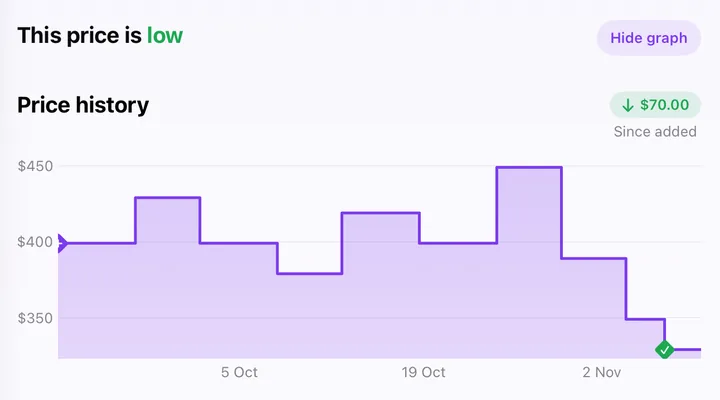
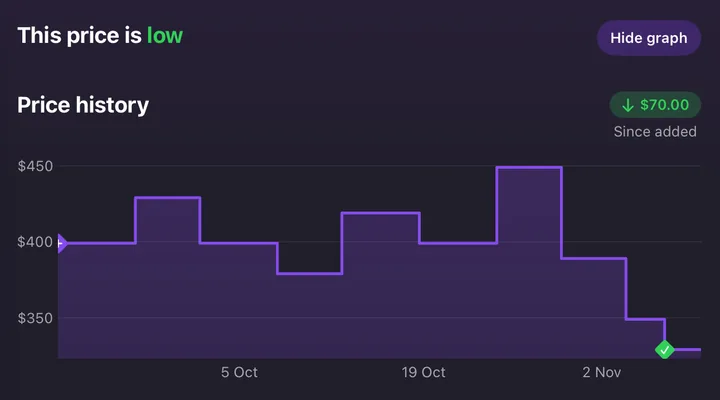
Genie records a price when you save the item, then a new one each time the price changes. A flat stretch on the chart means the price stayed put.
What it tells you
-
"This price is low", "typical" or "high"
Above the chart, Genie says where today's price sits among the prices it has seen: low, typical or high, with the usual range under it, like "Usually $389.00 to $399.00, based on this item's price history". It needs at least four prices to say, counting the item's history and, where Genie has matched the same item at other stores, their prices in the same currency. A new item with a steady price won't have a verdict yet.
-
"Since added"
How much the price has gone up or down since you saved the item: a green down arrow for a drop, a red up arrow for a rise. It's measured from the price when you saved it, nobody else's.
-
The crossed-out price
Next to today's price, a crossed-out price and "You save" show when there's a saving. It's the shop's own "was" price when the page shows one. When it doesn't, it's the last different price Genie saw.
Start a price history
Free on iPhone, iPad and Mac.


Late to it?
If other Save Genie users already track the same item from the same store, its earlier prices can appear in your price history when you open it. It has to be the same product page, in the same currency. So it's worth saving an item even on the day you're thinking of buying.
Reading a chart
A drop straight after a rise isn't a deal. In the example above, the price jumps to $449 and then "falls" to $389, which is no lower than it usually was. The drops that count are the ones that take the price below where it usually sits, like the last two.
Before a big sale, look at the weeks before it, not just the day before. For the common tricks, see how to tell if a Black Friday deal is real.
In the store's own currency
A price history stays in the currency the store charges in. An item from a US store is tracked in US dollars, one from a UK store in pounds, wherever you are. Genie never converts a price, and a check that comes back in a different currency isn't added to the history.
On all your devices
Your items and their price history sync across your iPhone, iPad and Mac, so a price Genie spots on one shows up on the others.
More guides
Know the real price
Free on iPhone, iPad and Mac: up to 15 items, and 3 new items a day, from almost any store.