Guide · Amazon
How to track Amazon prices on iPhone
To track Amazon prices on iPhone, save the product to Save Genie: in the Amazon app or in Safari, tap Share and choose Save Genie. Save Genie then checks the price regularly and sends you a notification when it drops. It's free, and it works on iPad and Mac too.
Save from the Amazon app
Open the product in the Amazon app and choose the size or colour you want. Then:
-
Tap Share and choose Save Genie.
-
That's it: Genie checks the price from then on and tells you when it drops.
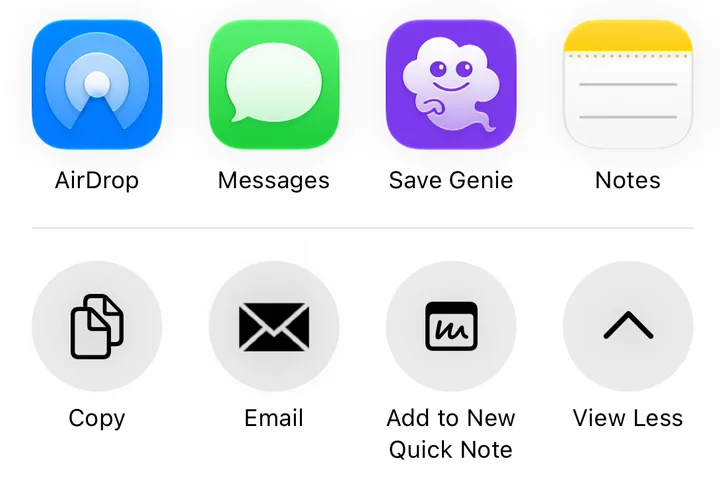
Prefer to copy? Tap Share, then Copy, open Save Genie, tap + and choose Add Item.
Amazon's short share links (like amzn.asia and amzn.to) are fine: Genie follows them to the product page.
Save from Safari, or on a Mac
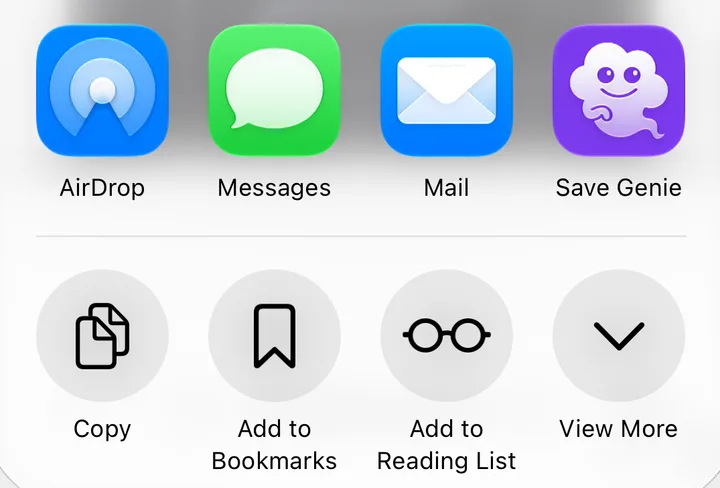
In Safari on iPhone or iPad, open the product page, tap Share and choose Save Genie. Or switch on the Save Genie Safari extension and save the page from it.
On a Mac, use the Save Genie extension for Safari or Chrome, or copy the product's link and choose File › New from Clipboard (⌘⇧V) in Save Genie.
Whichever way you save, the item and its price history are on all your devices.
Get Save Genie
Free on iPhone, iPad and Mac.


Which Amazon stores it works with
| Store | Website | Prices in |
|---|---|---|
| Amazon Australia | amazon.com.au | Australian dollars |
| Amazon US | amazon.com | US dollars |
| Amazon UK | amazon.co.uk | British pounds |
| Amazon Canada | amazon.ca | Canadian dollars |
Each price stays in the store's own currency; Genie never converts it. Amazon doesn't run a separate New Zealand store, so if you shop amazon.com.au from New Zealand, your prices are in Australian dollars.
What price Genie tracks
Genie tracks the main price Amazon shows on the product page, in the store you saved it from. Subscribe & Save prices are left out. If Amazon shows a "was" or list price, Genie keeps that too.
If a check comes back with the page priced for a buyer in another country (on a VPN, say), Genie skips that check rather than record the wrong price, and tries again next time.
Tips
-
Choose the size or colour before you save
On Amazon each size and colour is usually its own product with its own price. Pick the one you want on the page first, and Genie tracks that one.
-
Check the price before you buy
Prime Day and Black Friday deals can be short. Genie checks your saved items regularly, not every second, so open the app and pull down to refresh before you buy. The checkout always has the last word.
-
Look at the price history
A "deal" is only a deal if the price is lower than it was in the weeks before. Save Genie keeps a price history for every item you save, so save early and you'll have the real "before" price when a sale starts.
More guides
Start tracking
Free on iPhone, iPad and Mac: up to 15 items, and 3 new items a day, from Amazon and almost any other store.
Save Genie isn't affiliated with Amazon.